Adresse
Webers Webdesign
Ludwig-Schopp-Straße 27
53117 Bonn
<svg xmlns="http://www.w3.org/2000/svg" viewBox="0 0 1500 200" preserveAspectRatio="none">
	<path d="M1500 125.754S1190.427 43.743 706.835 100C361.411 140.183 0 91.102 0 91.102V0h1500v125.754"/>
	<path d="M1500 144.621S1242.857 31.787 724.588 87.637C288.697 134.61 0 109.198 0 109.198" style="stroke-miterlimit:10;fill:none;stroke-width:3px;stroke:#fc7d1e" vector-effect="non-scaling-stroke"/>
	<path d="M1500 95.337s-54.905-28.096-257-20.848-432.143 49.138-639 51.265C229.979 129.6 0 61.455 0 61.455" style="stroke-miterlimit:10;fill:none;stroke-width:3px;stroke:#aac5e3" vector-effect="non-scaling-stroke"/>
	<path d="M1500 104.215S1253.306-1.647 736.867 69.156C259.435 134.61 0 68.793 0 68.793" style="stroke-miterlimit:10;stroke:#3c7eb0;fill:none;stroke-width:3px" vector-effect="non-scaling-stroke"/>
</svg>
I prefer to use my own SVG dividers by integrating them via the media library upload. There, I can also determine the ID of the uploaded SVG file.
In my case, the SVG file has the ID: 54025.

function custom_avf_custom_svg_shapes( array $custom_shapes ) {
	$custom_shapes = array(
		'libelle-regenbogen' => array(
		    'key'         => 'libelle-regenbogen',
		    'title'       => __( 'Libelle Regenbogen', 'avia_framework' ),
		    'has_flip'    => true,
		    'has_width'   => true,
		    'attachment'  => '54025'
		),
	);
return $custom_shapes;
}
add_filter( 'avf_custom_svg_shapes', 'custom_avf_custom_svg_shapes', 10, 1 );
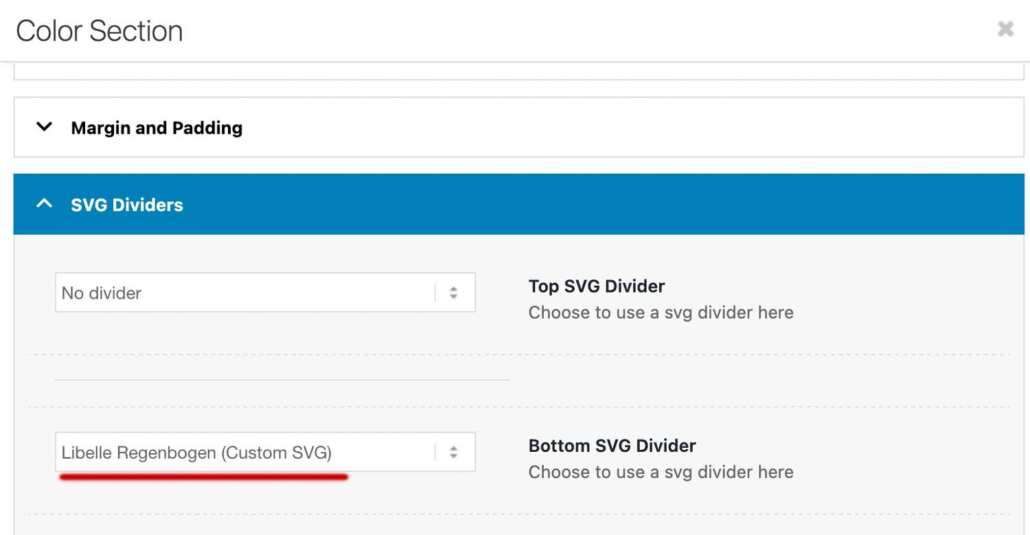
The title will appear in your drop-down list for selecting the divider.