Adresse
Webers Webdesign
Ludwig-Schopp-Straße 27
53117 Bonn
Click here to add your own text Click here to
Click here to add your own text Click here to add your own text Click here to add your own text Click here to add your own text Click here to add your own text Click here to add your own text Click here to add your own text Click here to add your own text Click here to add
Click here to add your own text Click here to add your own text Click here to add your own text Click here to add your own text Click here to add your own text Click here to add your own text Click here to add your own text Click here to add your own text Click here to add your own text Click here to add your own text
Click here to add your own text Click here to add your own text Click here to add your own text Click here to add your own text Click here to add your own text Click here to add your own text Click here to add your own text Click here to add your own text Click here to add
Click here to add your own text Click here to add your own text Click here to add your own text Click here to add your own text Click here to add your own text
Click here to add your own text Click here to add your own text Click here to add your own text
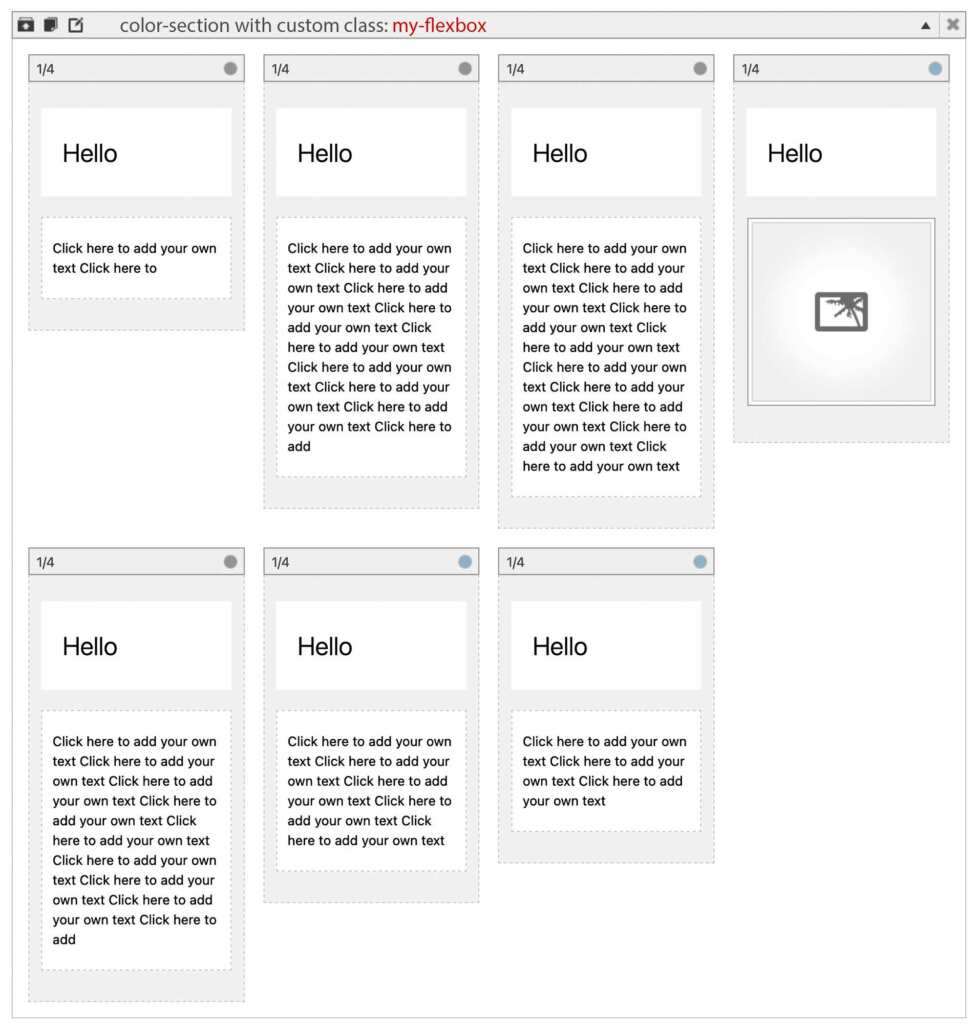
flex-count does not belong to the columns count! There might be 7 columns inside ( and you can set them as 1/4 column – because width is not set by that declaration but by flex declaration.
To understand the flex formula:
With 5 items placed side by side, we have (5-1) = 4 gaps. These 4 gaps ( 4*gap width) are subtracted from the 100% width. That is the remaining space for the 5 items. So each item now has 1/5 of that width.
/* ===  or with a more modern way to style the flex-box  === */

#top .my-flexbox {
  --flex-gap: 20px;
  --flex-count: 5;
}

#top .avia-section.my-flexbox .entry-content-wrapper {
  display: flex;
  flex-flow: row wrap;
  gap: var(--flex-gap);
  justify-content: center;
  align-items: stretch;     /* ===  stretches the items (columns) to have equal height on each row   === */
}

#top .avia-section.my-flexbox .entry-content-wrapper:before,
#top .avia-section.my-flexbox .entry-content-wrapper:after {
  flex: 0 0 0 !important;
  margin: 0 !important;
  padding: 0 !important;
  position: absolute; /* Takes it out of the (document) flow */
}

#top .avia-section.my-flexbox .entry-content-wrapper .flex_column {
  box-sizing: border-box !important;
  flex: 0 0 calc((100% - (var(--flex-count) - 1) * var(--flex-gap)) / var(--flex-count));
  width: unset !important;
  margin: 0 !important;
  padding: 30px; /* you can change here padding of the columns at once */
}


/* Media Queries: Override Only the Variable */

@media only screen and (max-width: 1199px) {
  #top .my-flexbox {
    --flex-count: 4;
  }
}

@media only screen and (max-width: 989px) {
  #top .my-flexbox {
    --flex-count: 3;
  }
}

@media only screen and (max-width: 767px) {
  #top .my-flexbox {
     --flex-count: 2;
  }
}

@media only screen and (max-width: 569px) {
  #top .my-flexbox {
     --flex-count: 1;
  }
}
by the way: if you have ( example above 5 colums – gap is 20px) :
#top .avia-section.my-flexbox .entry-content-wrapper .flex_column {
        flex: 0 0 calc((100% - (var(--flex-count) - 1) * var(--flex-gap)) / var(--flex-count));
/*	flex: 0 0 calc((100% - (5 - 1) * 20px) / 5);   */
/*	flex: 0 0 calc((100% - 80px) / 5);  */
}
then the last row will stretch the items
declaration is a shortform for:
flex: flex-grow flex-shrink flex-basis